Facebook Google+ LinkedIn Twitter instagram
  • Welcome  
  • Wishlist (0)
  • Find Registry
  • Forum
  • Report a bug
  • Help
  • Bizo Bizo Help
  • All Docs
  • Home
  • Categories
  • Featured Products
  • Recent Products
  • Today’s Deals
  • About Us

Bizo Bizo Help

  • Buyer Section
    • Introduction
    • Register
    • Purchase an Item
    • Returns and Cancellations
    • Gift Registry
  • Seller Section
    • Introduction
    • Product & Stock Management
      • How seller can add a product?
      • Product bulk upload
      • Bulk update the stock using file upload
      • Import third party inventory
      • Product Management
    • Shipping Configuration
    • Order Management
    • Seller Subadmin
    • Automatic Shipment Tracking
  • Vendor Section
    • Introduction
    • Product & Stock Management
      • How vendor can add a product?
      • Vendor Product Bulk Upload
      • Vendor – Bulk update the stock using file upload
      • Vendor – Import third party inventory
      • Vendor Product Management
    • Shipping Configuration
    • Order Management
    • Vendor – Subadmin
Home Bizo Bizo Help Seller Section Product & Stock Management Import third party inventory

Import third party inventory


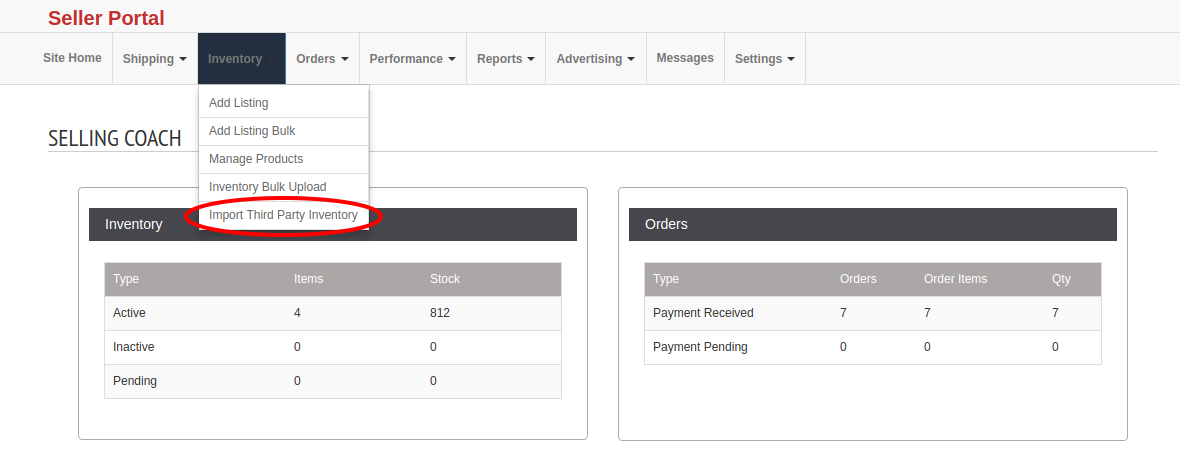
To import third party inventory, please go to seller portal > inventory > import third party inventory.


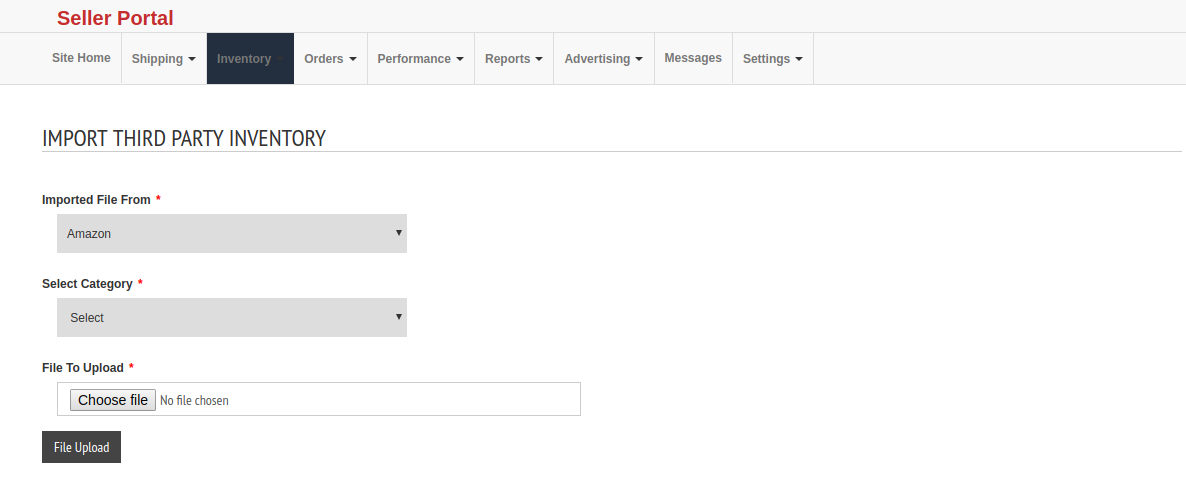
First select the third party (Amazon, Ebay and Walmart), then select the category and finally upload the file



Need more help?

Contact Us
casibom agb99 sbobet Hacklinkhub.io / Web site SEO BACKLINK PLATFORM meritking grandpashabet jojobet holiganbet betgaranti grandpashabet